
01 / Understand the day
Start with a shared operational picture.
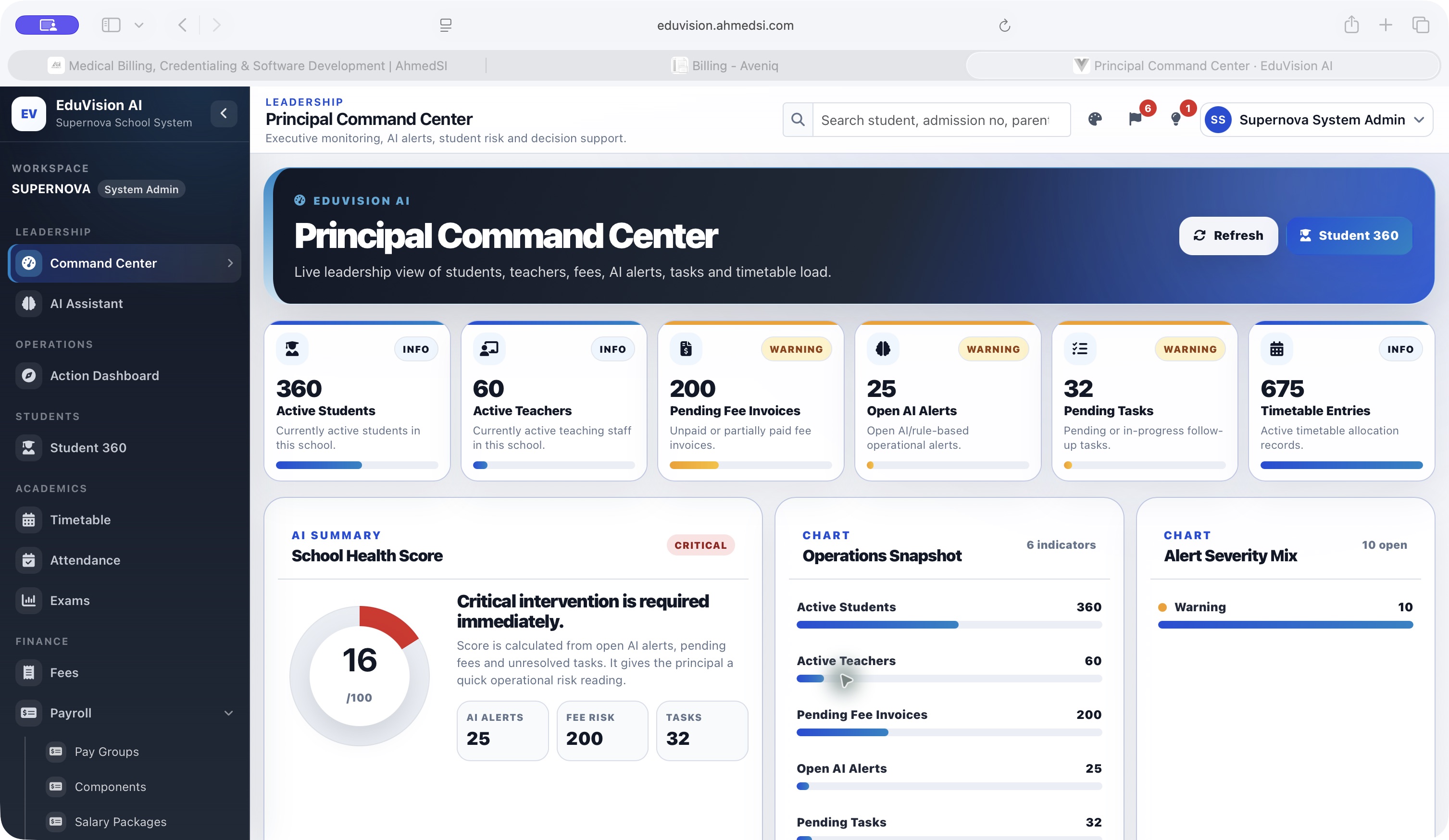
The Command Center brings school health, AI alerts, fees, tasks and other operational indicators into one view. Leaders can scan the current state before choosing where to investigate.
A closer look at AhmedSI’s school operations platform, connecting a leadership Command Center, an Action Dashboard and guided administrative workflows.
School leaders and administrative staff, through role-based workspaces.
School health indicators, operational alerts and guided school workflows.
School leaders and administrative teams work across attendance, fees, tasks, admissions and class setup. A high-level overview is useful only when people can find the workflow needed to address what they see.
EduVision AI is an AhmedSI product. This study focuses on the existing interface and demonstrated workflows, rather than an unverified client deployment or business result.
EduVision AI organizes the experience into three connected layers: a Command Center for school-wide visibility, an Action Dashboard for operational work, and a library of guided workflows. The interface gives each layer a distinct purpose.
Explore the authenticated demo screens. Select any image to inspect the full-size capture.
The Command Center brings school health, AI alerts, fees, tasks and other operational indicators into one view. Leaders can scan the current state before choosing where to investigate.
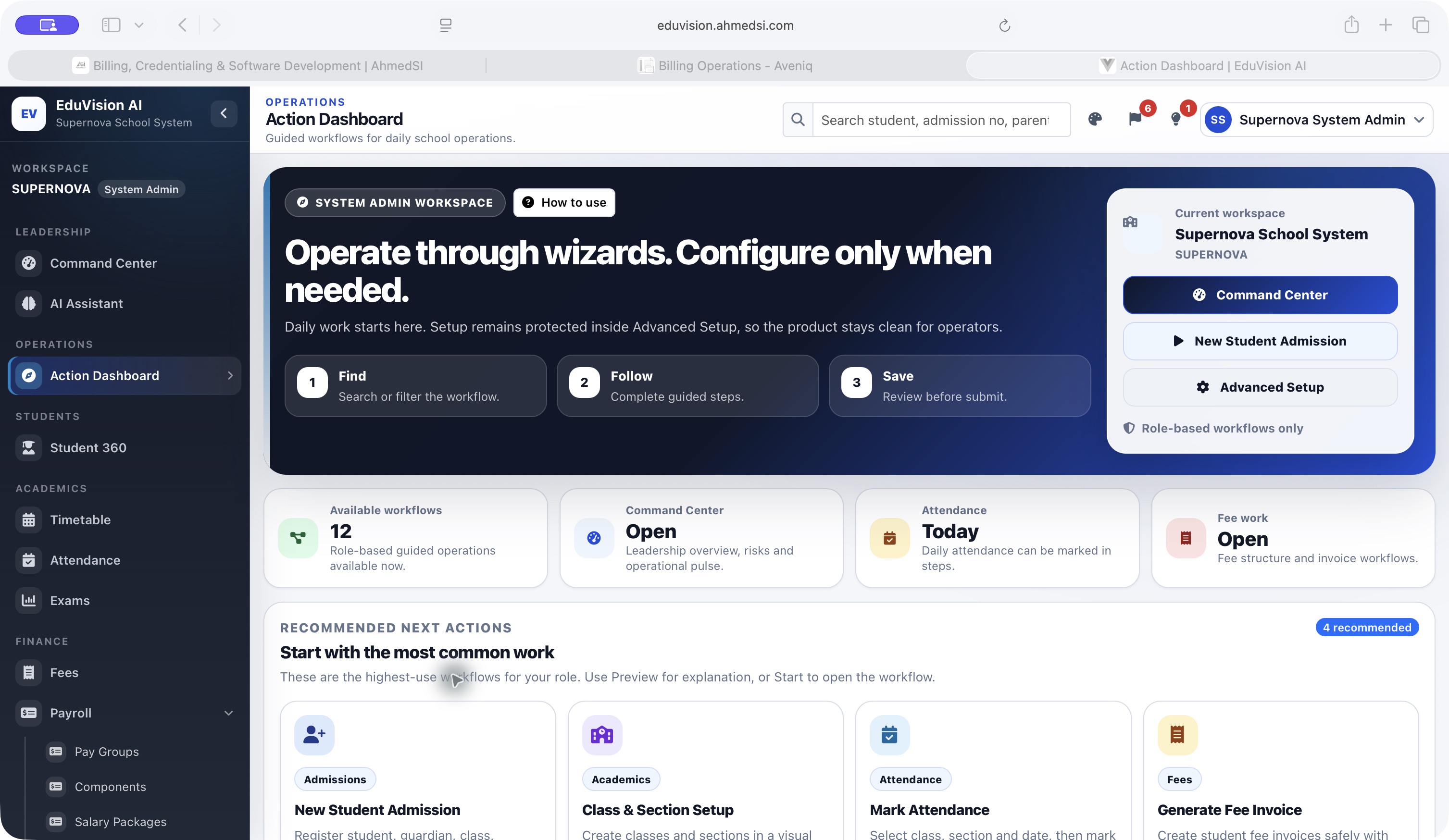
The Action Dashboard provides a signed-in workspace connecting school operations and leadership tasks with guided workflows. It makes actions a distinct part of the experience rather than leaving users at the summary screen.
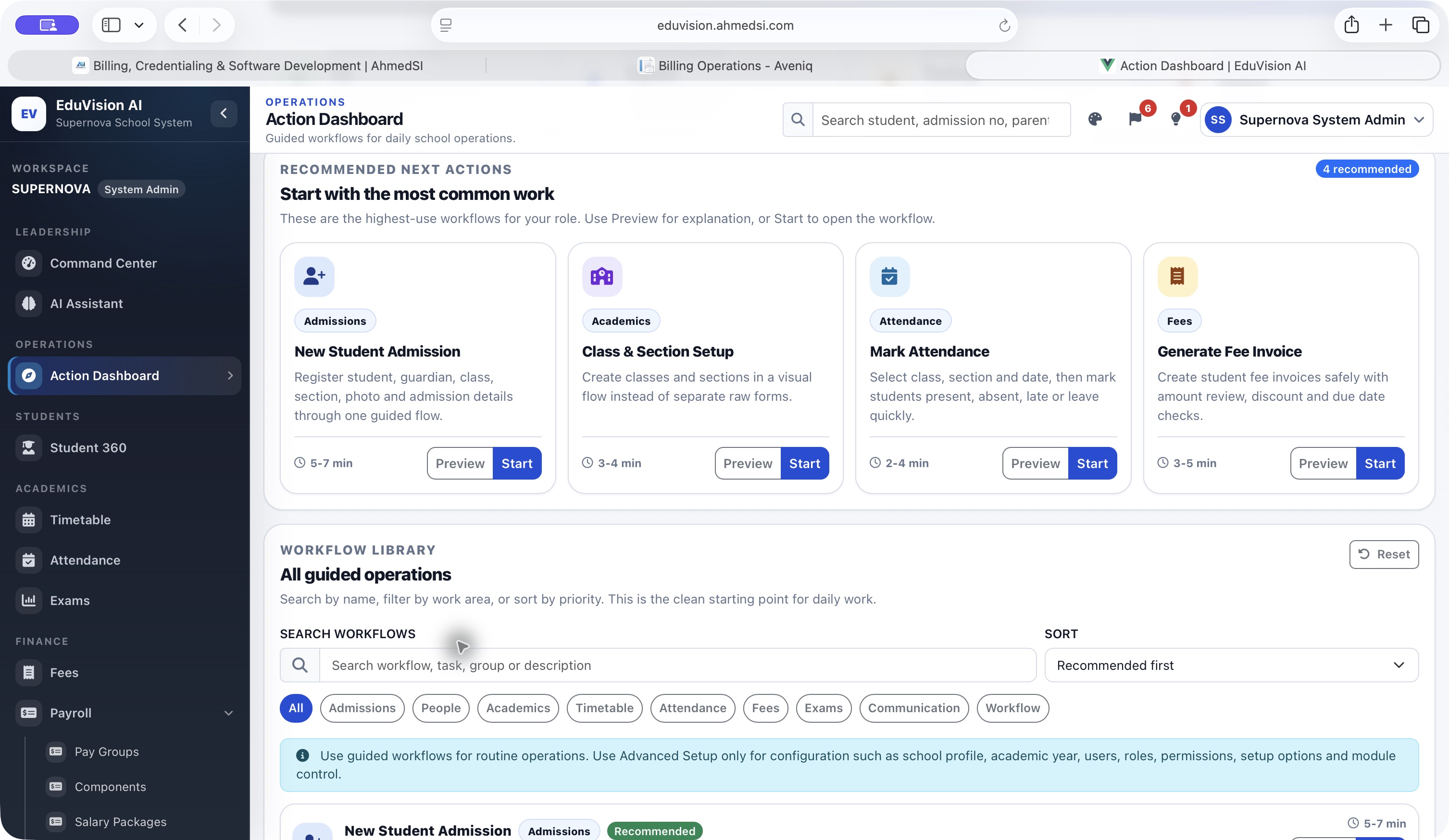
The workflow library includes admissions, class and section setup, attendance and fee-invoice workflows. These visible entry points help staff identify the process appropriate to the task in front of them.
All records shown are synthetic demo data. The screenshots demonstrate product structure and interface capabilities; no adoption, time-saving or learning-outcome figures are claimed.