← Our WorkCase study / Healthcare operations / Partner platform

Making billing work visible.
From intake to review.

An inside look at Medgento’s Aveniq platform: patient and insurance intake, claim preparation and operational reporting in connected workspaces.

PlatformAveniq
People

Billing staff, quality reviewers and operations managers.

Scope

Medical and dental claims, billing operations and credentialing workspaces.

The workflow challenge

A claim is only one part of the workflow.

Billing teams need to move between patient details, insurance information, claim preparation and follow-up. Managers need a different view: what is in the queue, what needs checking and where to focus attention.

Aveniq is a Medgento partner platform. This study documents the demonstrated product workflow; it does not claim AhmedSI built or owns the platform.

The product approach

Separate the tasks. Connect the context.

Aveniq exposes dedicated systems for billing operations, claims preparation and credentialing. Within the billing workspace, intake and claim tools sit alongside validation and EDI preparation. Analytics provide another view of the same operational environment.

Inside the actual platform

Three views.
One operational journey.

Explore the authenticated demo screens. Select any image to inspect the full-size capture.

01 / Choose the workspace

Start with the right operational context.

The system selector presents Medical Billing Operations, Billing and Credentialing as separate entry points. The structure distinguishes different jobs before the user opens a work queue.
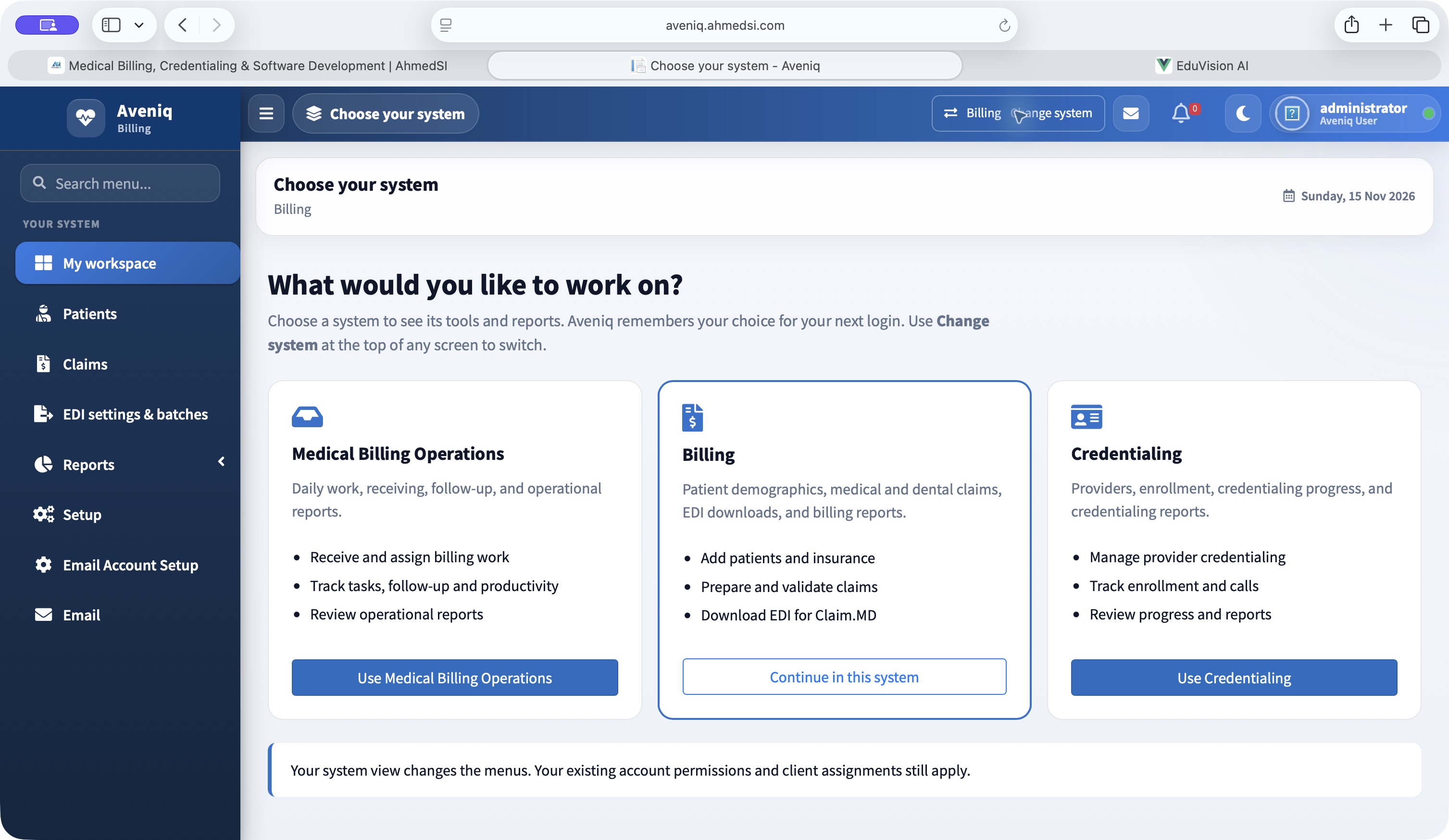
Aveniq system selection
Aveniq system selection Actual interface · Synthetic demo data · Open full size ↗
02 / Prepare the claim

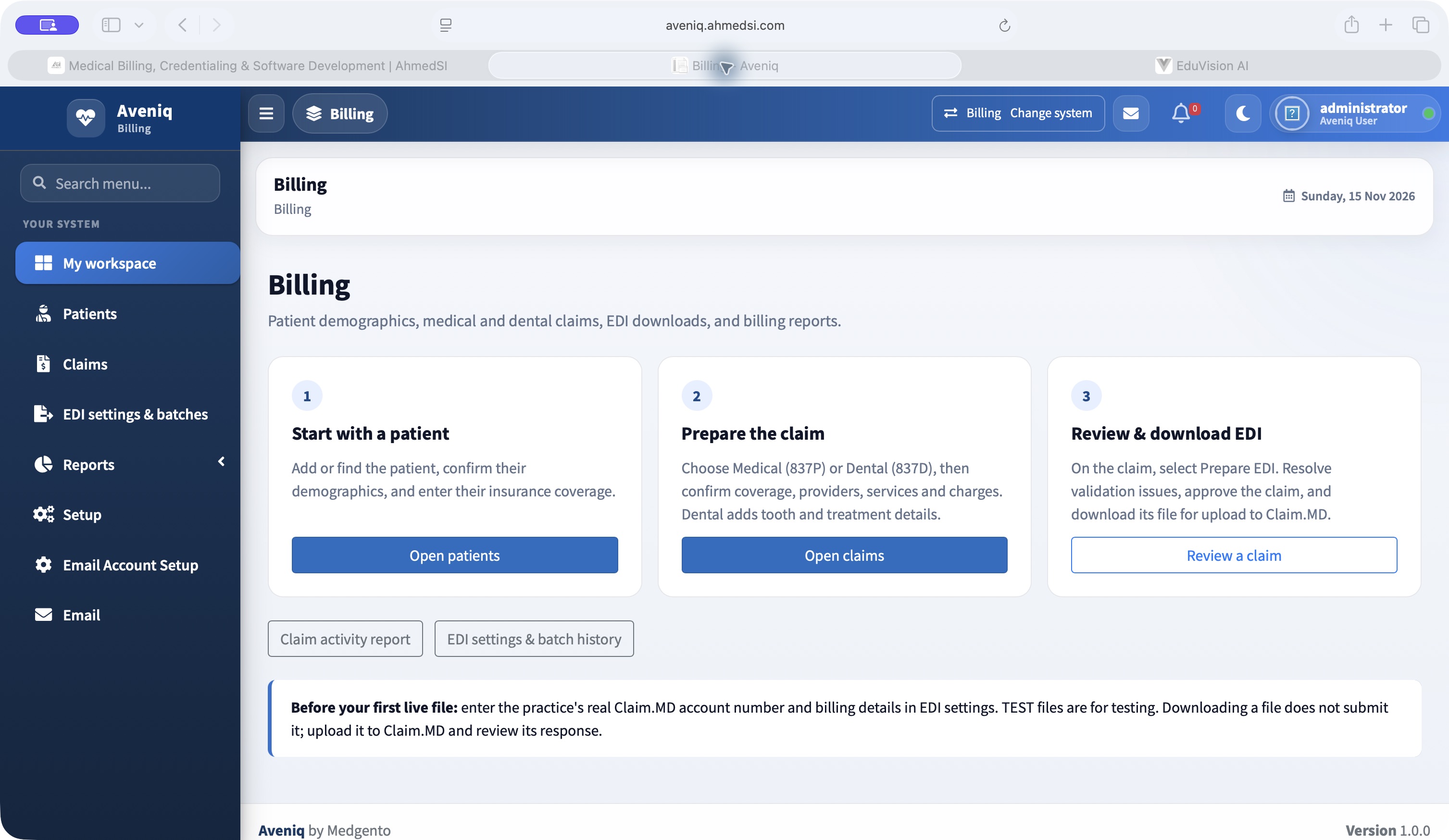
Bring intake and claim preparation together.

The Billing workspace exposes patient and insurance intake, medical (837P) and dental (837D) claim tools, validation and EDI downloads. The screen shows the available workflow; it is not evidence of payer acceptance.

Aveniq billing workspace
Aveniq billing workspace Actual interface · Synthetic demo data · Open full size ↗
03 / Review operations

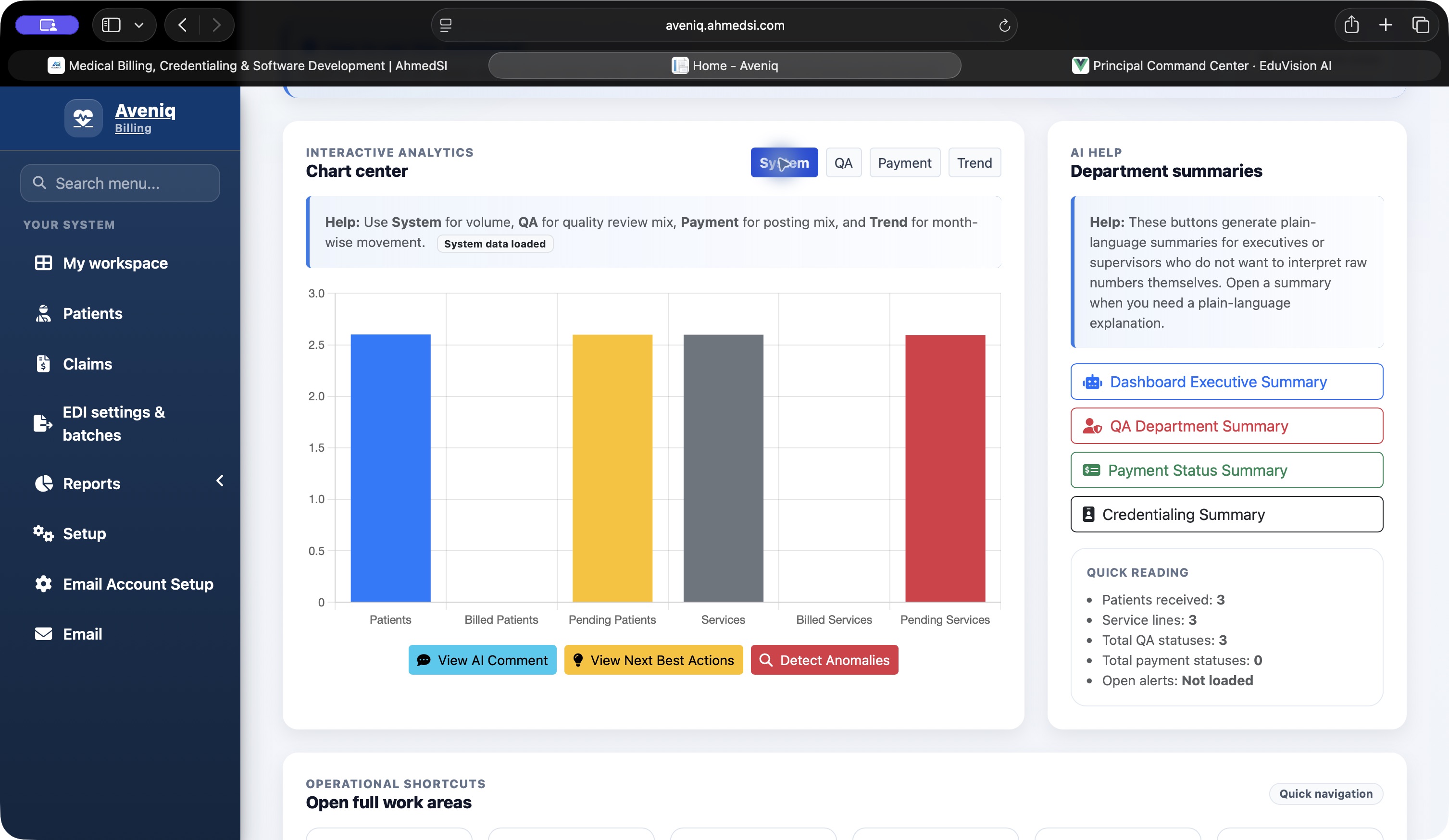
Give managers a view beyond the individual record.

The analytics screen presents patient and service volumes, QA and payment chart views and department-summary tools. The captured workspace uses synthetic records to demonstrate the interface.

Aveniq analytics dashboard
Aveniq analytics dashboard Actual interface · Synthetic demo data · Open full size ↗
Demonstrated capabilities

What the demonstrated workflow brings together

  • Dedicated entry points for billing operations, claims and credentialing.
  • Intake, validation and EDI preparation within the Billing workspace.
  • Operational charts that complement individual record work.

This is a product workflow case study, not a client results study. No collection-rate improvement, reimbursement increase, payer acceptance rate or implementation outcome is asserted.

Your operation, your requirements

Start with the workflow
you need to improve.

Tell us about your users, current systems and the work that needs to move more clearly.

Direct business contact

A conversation starts here.

Enzo Ross · Business Development

Please share business information only. Do not include patient records, passwords or other sensitive information. By sending, you acknowledge our privacy notice.